
Eight connections per file
8 parts · Pause · resume · survives a restart or a crash
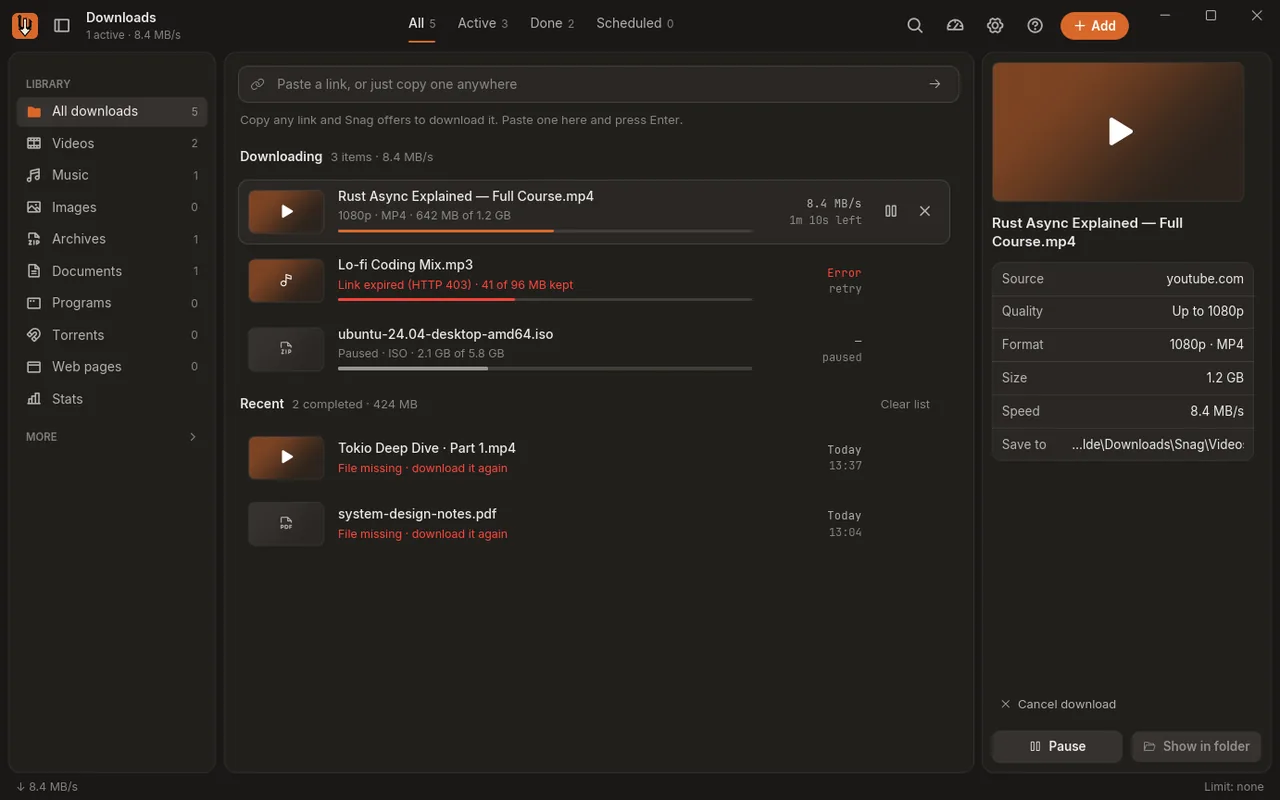
Big files are split into up to eight parts that download at once. Pause whenever you like; Snag picks up where it stopped, even after a restart or a crash.
Vol. 1.0.3 · For Windows
Pl. I — the hook and the arrow
The fast, free download manager for Windows — catches any video like IDM, downloads files 8× in parallel
Windows 10 & 11 · 12 MB · Mac & Linux soon
Part 02 of 08Downloads
Everything you’d reach for IDM to do, plus music, galleries, torrents and whole web pages. No account, no licence key.
8 parts · Pause · resume · survives a restart or a crash
Big files are split into up to eight parts that download at once. Pause whenever you like; Snag picks up where it stopped, even after a restart or a crash.
~35 MB · Written in Rust
Snag stays light while big downloads run in the background.
Part 03 of 08Video
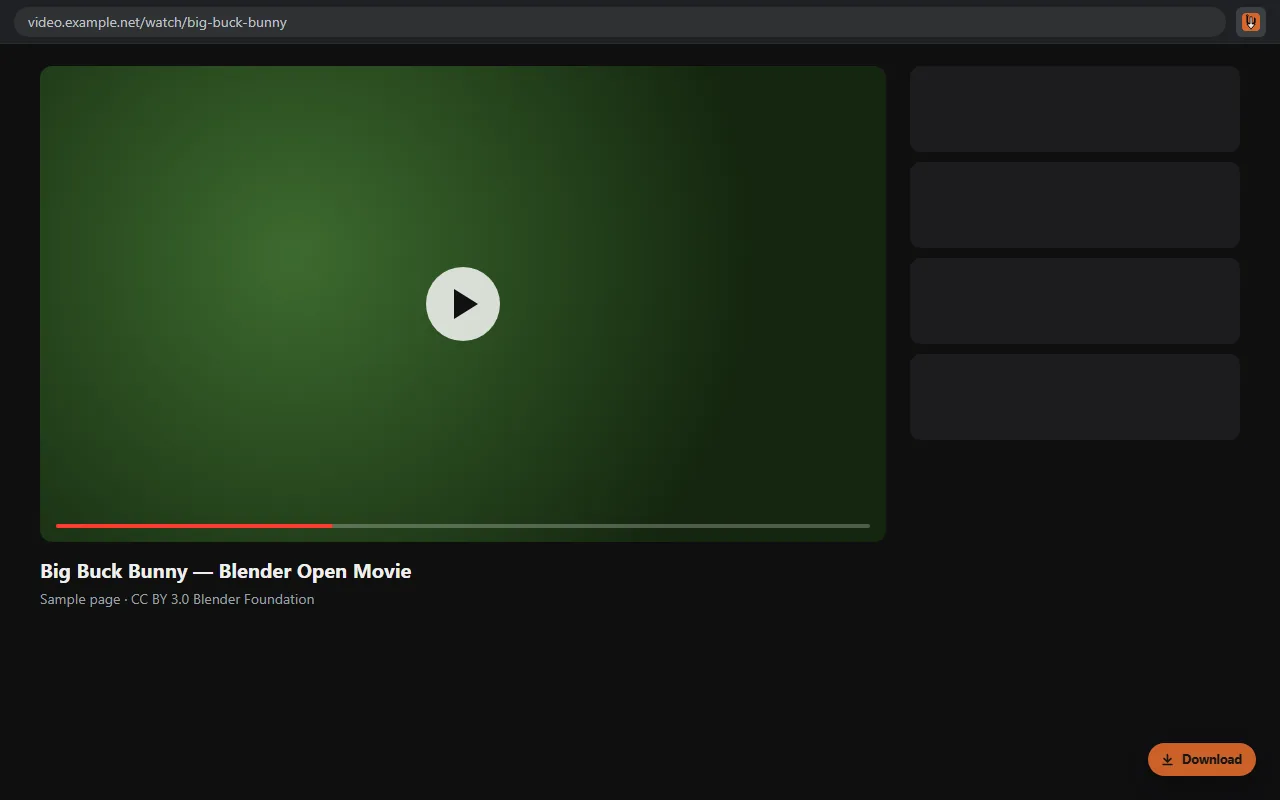
Like IDM, a Download button appears on videos as they play. Pick a quality and Snag takes it from there.
yt-dlp · 1080p · 720p · MP3 · playlists · subtitles · live
Pick 1080p, 720p or MP3, take a whole playlist with its subtitles, or record a live stream as it airs. Works on more than 1,800 sites, YouTube included.
IDM-style · Browser extension · Chrome, Edge, Firefox
The extension sees the stream a page’s player loads and puts a Download button on it, with every quality it found, even on sites no list knows about.
Part 04 of 08Catalogue
The rest of the catalogue: what else Snag brings down, and what it does once a file lands.
Paste a gallery, album or post and Snag brings down every picture in it.
gallery-dl · Pinterest · Imgur · Reddit · Instagram · X
Magnet links and .torrent files download right in Snag, next to everything else. No second app.
built in · Magnet links and .torrent files
Save a whole page, with its pictures and styles, as a single file that opens without the internet.
1 file · One .html file you can open offline
Paste a GitHub repository or branch link and Snag downloads the code as a ZIP.
.zip · Paste a repo or branch link
SHA-256 · VirusTotal · your own free key
Add your own free VirusTotal key and Snag looks up the programs you download. Only the file’s SHA-256 fingerprint is sent, never the file.
automatic · By type, site or category
Tell Snag what to do once a file lands: convert to MP3, shrink videos, unpack archives or move files.
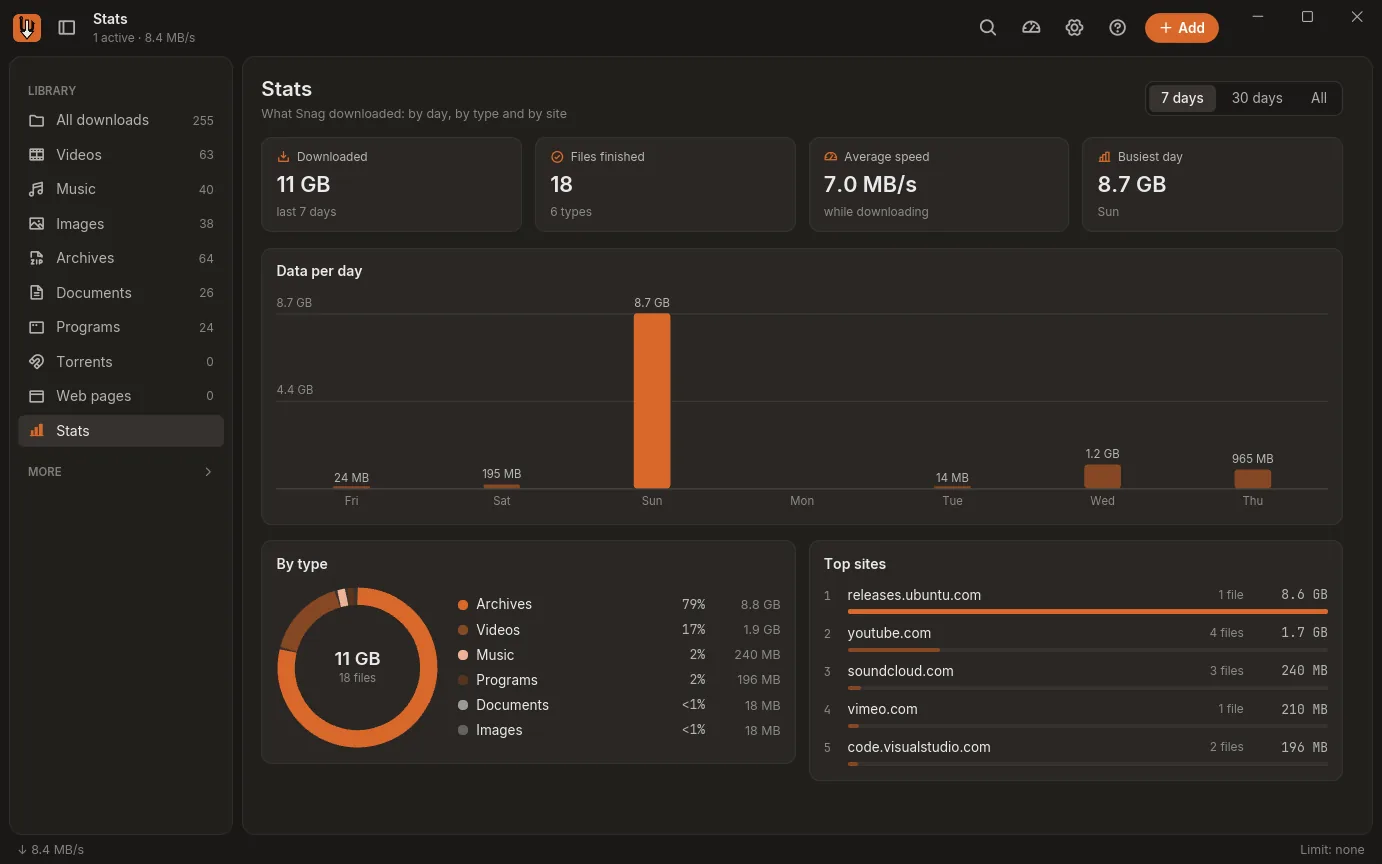
7d · 30d · all · By day, by type, by site
See what you downloaded by day, by type and by site, over the last week, month or all time.
yours · Light · dark · any colour
Make Snag yours. Try it here: pick a colour and this page follows along.
Part 05 of 08Privacy
No account, no analytics, no server of our own. Your downloads, settings and history stay in %APPDATA%\Snag.
Change any of these later in Settings.
Read copied links
Only links: a copied link pops up in the corner, ready to download.
Windows notifications
When a download finishes or fails.
Phone sharing on your Wi-Fi
Send links from your phone. Off until you turn it on.
Browser cookies
Only for the site you download from, only when you send the download.
Internet
Only the sites you download from, plus tool updates from GitHub. Nothing about you is sent.
Safety check
Off until you add your own VirusTotal key. Only a fingerprint is sent.
The extension talks only to Snag on this computer, after you press Allow.
Extension
in your browser
Sites
you download from

Snag
127.0.0.1 · this PC
Your disk
Downloads · %APPDATA%\Snag
Snag servers: none
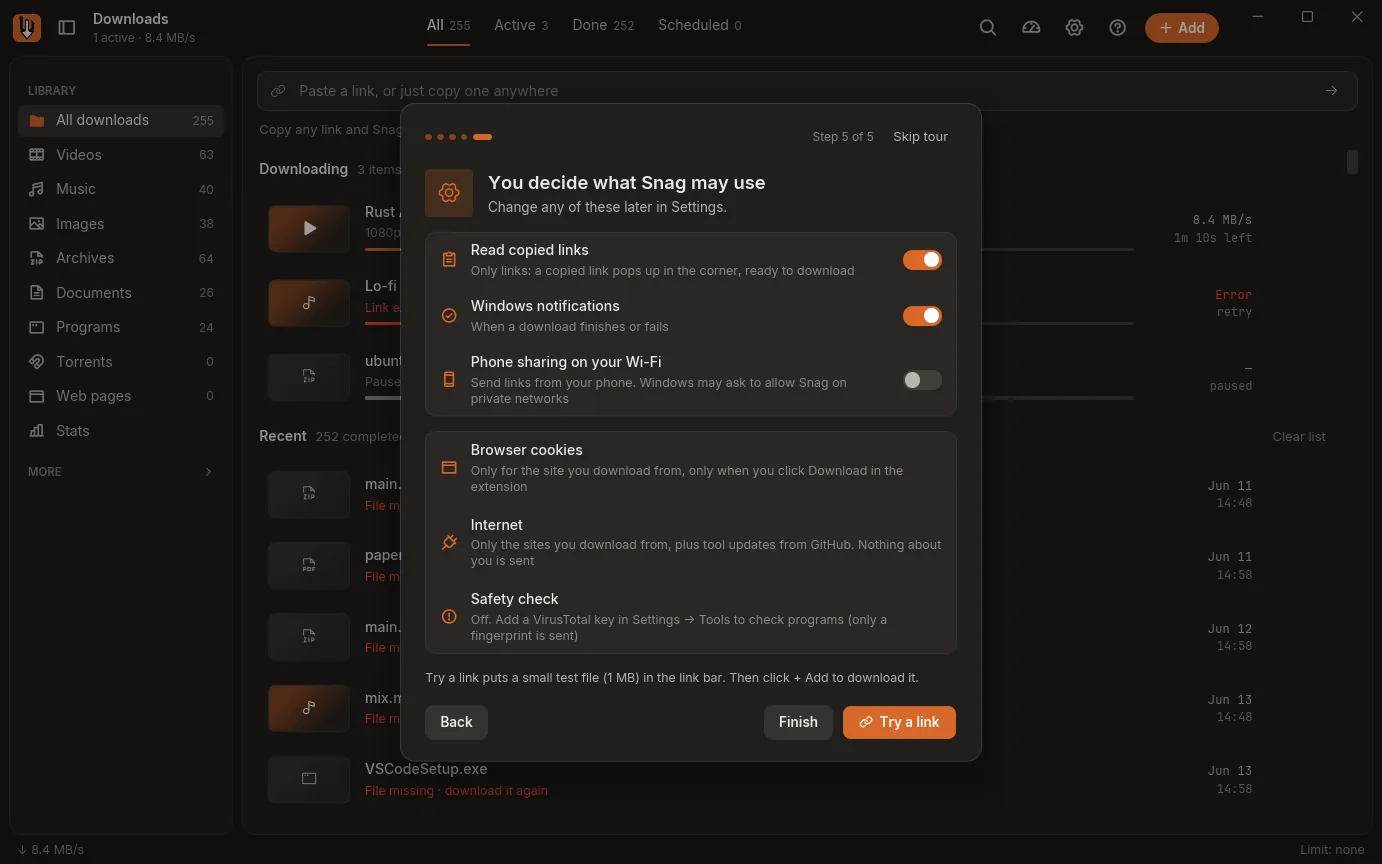
The real thing: the first time you open Snag, it asks.
Read the privacy policy →Part 06 of 08Setup
Run the installer. It sets Snag up for your Windows user only, so it needs no admin rights.
Snag-Setup-1.0.3.exe · 12 MB
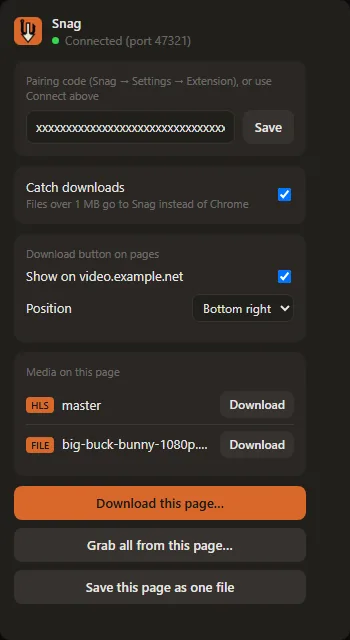
Click the Snag icon in your browser, then Connect to Snag, and press Allow in Snag. You do this once.
One click, then Allow
A Download button appears on videos as they play. Pick a quality and Snag takes it from there.
1080p · 720p · MP3
chrome://extensions or edge://extensions and turn on Developer mode.browser-extension folder in Snag’s install folder.Brave and other Chromium browsers work the same way. Until the Firefox listing is live, you can build the extension from the source on GitHub and load it from about:debugging as a temporary add-on.
Part 07 of 08Questions
The whole app is open source, so anyone can read what it does. Each release on GitHub (opens in a new tab) lists the installer’s SHA-256 checksum, so you can check your file is the one that was published.
The installer isn’t code-signed yet, so Windows may show “Windows protected your PC” the first time. Click More info, then Run anyway.
Part 08 of 08 · Download complete
Snag-Setup-1.0.3.exe
12 MB · Windows 10 & 11
Free and open source. No account. Mac & Linux soon.